SKU:0608-521047
Gecko
Gecko in.touch® 3 – Spa Control from Your Phone
Gecko in.touch® 3 – Spa Control from Your Phone
Low stock: 1 left
Couldn't load pickup availability
Gecko in.touch 3
Set your spa's temperature from your phone.
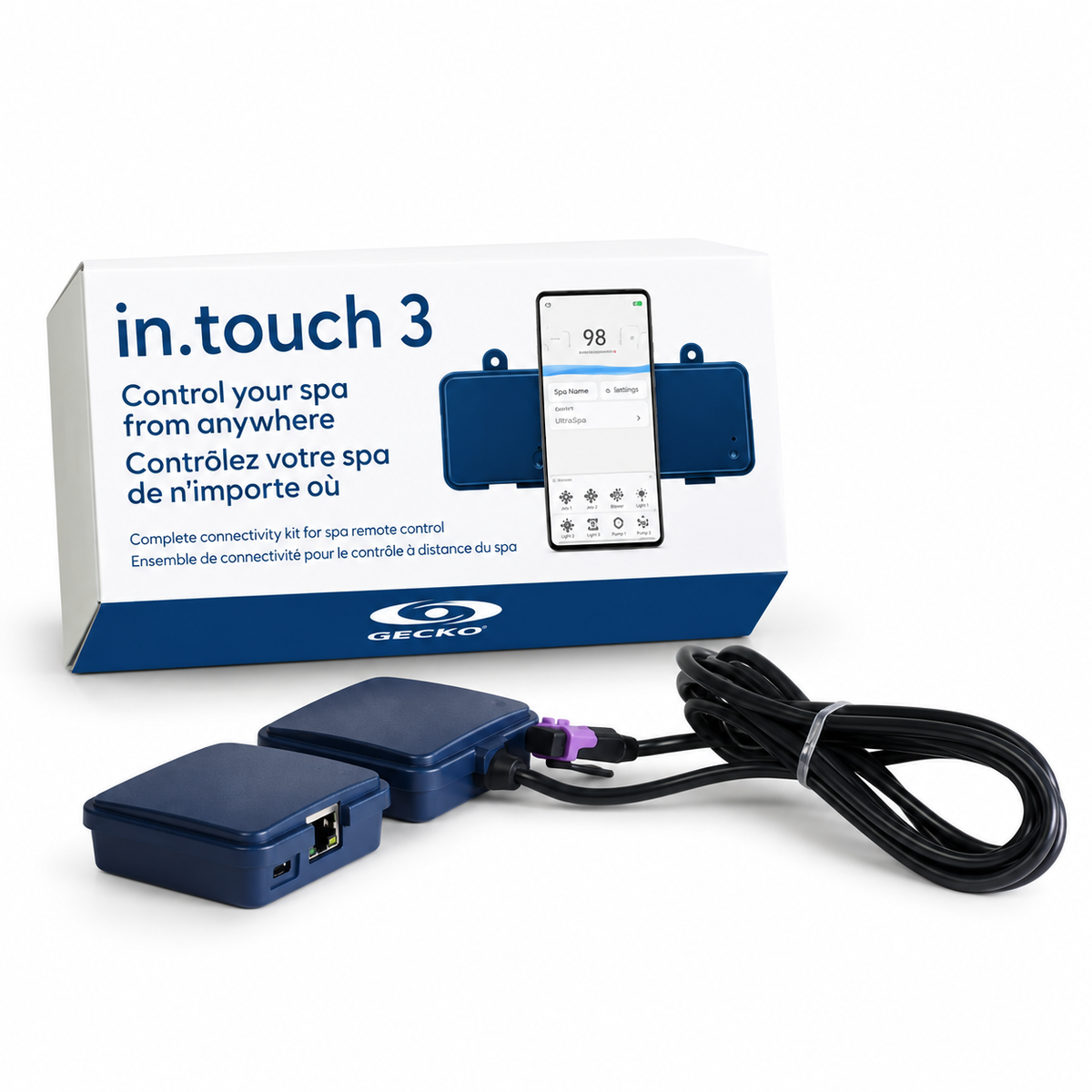
Gecko's in.touch 3 connects the spa's control pack to the Internet. One module mounts under the spa, the other plugs into your router, and the two talk to each other by radio. You then control the spa with the Gecko app. Gecko lists it for its in.ye, in.yt and in.yj control packs, version 2 and up.
From the control pack to your phone.
Four links, and your control pack must be on Gecko's list. Tap each item.
These are the only control packs Gecko lists for the in.touch 3. The model is printed on the label stuck to the control pack cover, in the “Model” box; the version (V2, V3…) is in the “Options” box. Gecko lists neither the in.xe nor the in.xm2: send us a photo of the label before ordering. Our YE-5 control pack (part 0610-221138-674) is an in.ye-5 V3 according to Gecko: it is on the list.
It mounts under the spa skirt, as high as possible, in a corner facing the home's router, at least 30 cm from any metal part. Its cable plugs into a CO port on the control pack. If other accessories share that port, it goes at the end of the chain.
It plugs into a free network port on the router with the supplied 3 ft Ethernet cable, and into a 120 V outlet with its power supply. Between this module and the spa module, the link is radio: Wi-Fi does not have to reach the spa.
Install the Gecko app (iPhone or Android), create an account with your email address, then add the spa with a phone connected to the same Wi-Fi as the home module. After that, the spa responds wherever the phone has Internet, over Wi-Fi or cellular data. The old in.touch 2 app does not work with the in.touch 3.
Only compatibilities published by Gecko are shown here (in.touch 3 techbook, November 2024).
What the app lets you do
- Temperature, remotelyRaise the temperature before you arrive, without going to the spa.
- Jets and lightsStart the pumps, the blower and the lighting from your phone.
- Maintenance remindersThe app shows alerts and reminders, such as filter cleaning.
- Wireless updatesThe system updates over the Internet, which the in.touch 2 did not do.
- The keypad stays in placeThe in.touch 3 plugs into a different port on the control pack than the keypad, such as the in.k450 or the in.k1000+.
Technical specifications
- Brand
- Gecko Alliance, Quebec City
- Model
- in.touch 3: spa module (CO) and home module (EN)
- Compatible control packs
- Gecko in.ye, in.yt and in.yj, version 2 and up
- Link between modules
- 915 MHz radio (North American model)
- Router
- Free 100 Mb/s RJ45 network port, port 10022 open (usual setting)
- Supplied
- Both modules, home module power supply, 3 ft (0.9 m) Ethernet cable
- App
- Gecko, iOS 8 and up, Android 2.3 and up
- Dimensions
- Spa module 86 × 70 × 23 mm; home module 82 × 70 × 24 mm
- Operating conditions
- −20 °C to 60 °C, humidity up to 85% non-condensing
- Protection
- IPX5 (water jets)
Installation
- Turn off the spa's power at the breaker before you start.
- Mount the spa module under the skirt, as high as possible, in a corner facing the router, at least 30 cm from metal. One No. 8 pan-head screw is enough; leave slack in the cable so the module can be moved.
- Plug its cable into a free CO port on the control pack, at the end of the chain if the port is shared.
- At home, connect the home module to the router with the Ethernet cable, then to an outlet with its power supply.
- Turn the spa's power back on. When the home module's light is blue, add the spa in the Gecko app.
Both lights blink about once per second? The modules cannot pick each other up. Gecko advises temporarily moving the home module closer to the spa with an extension cord: if the lights stop blinking, the modules were too far apart. Do not insulate the spa module with foam. in.touch 3 techbook (PDF, English) · Gecko spec sheet (PDF).
Frequently asked questions
Is my spa compatible?
If its control pack is a Gecko in.ye, in.yt or in.yj, version 2 or later, yes, according to Gecko. Gecko does not list the in.xe, the in.xm2 or other brands: send us a photo of the control pack label before ordering.
Do I need Wi-Fi all the way to the spa?
No. The spa module talks to the home module by radio, and the home module connects to the router by cable. Gecko does not publish a range in metres. For setup in the app, it recommends a stable 2.4 GHz Wi-Fi. Gecko did not support mesh networks; its December 2025 update says it improves compatibility with them.
I have the in.touch 2 app.
It does not work with the in.touch 3, which uses the Gecko app. Gecko's French sheet specifies that the app is in English for now.
What about the in.touch 3+?
The 3+ adds water monitoring with the Gecko waterlab, and its spa module is larger. We sell the in.touch 3, which controls the spa without analyzing the water.
Share